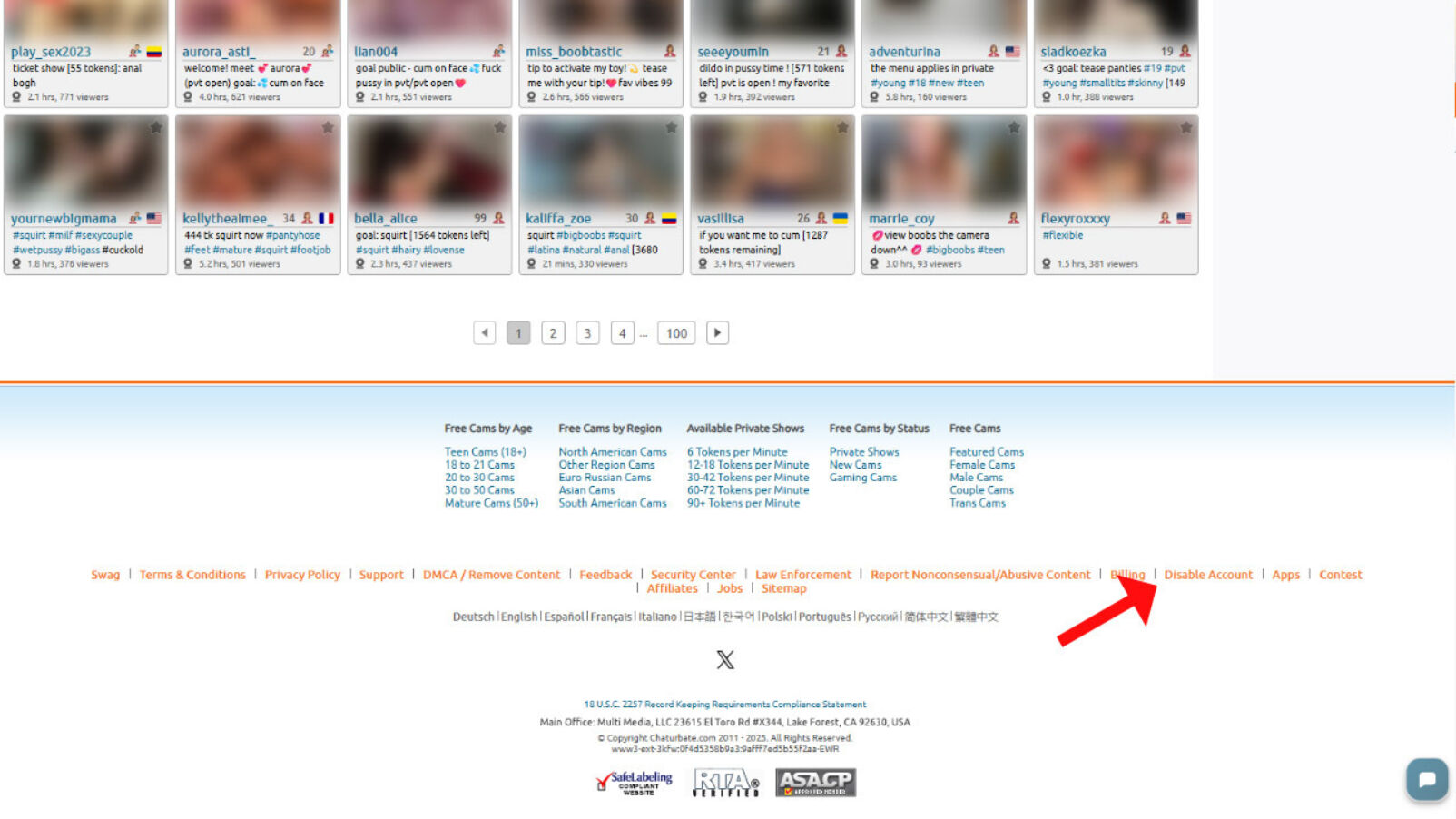
The page to delete your account is located in the footer and is labeled “Disable Account.”
Deleting a Chaturbate account is pretty straightforward, but it can feel a bit confusing at first since the delete option is not in your profile or settings where you expect to find it.
In this guide, we will show you exactly how to delete your Chaturbate profile, with screenshots to make it easy to follow.
Step 1
Login to your Chaturbate account
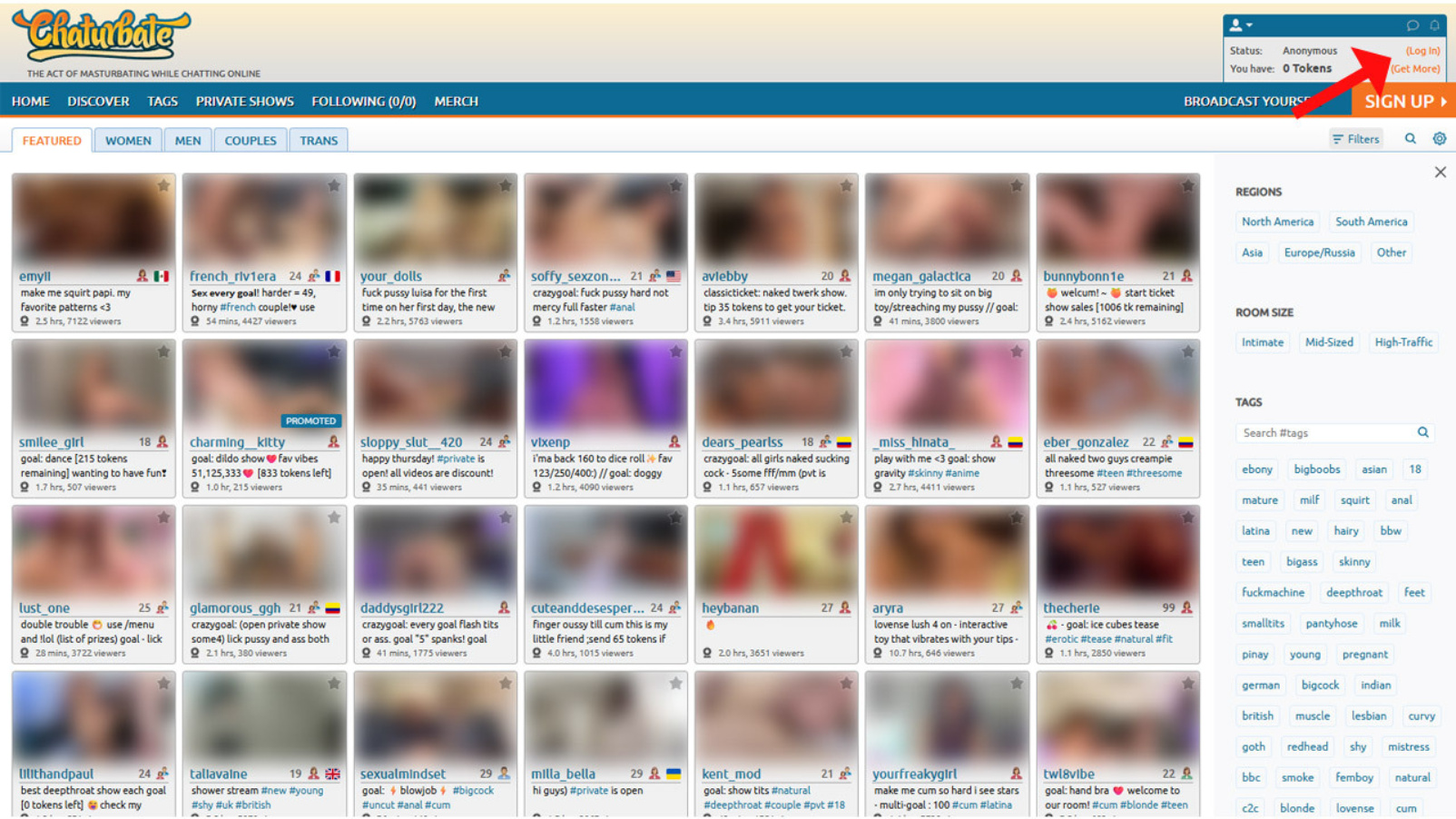
The first step is to login to your Chaturbate account. The button is located at the top right-hand corner of your screen in.
Step 2
Go to the "Disable Account" page in the footer
Scroll down to the bottom of the page and click "Disable Account" in the footer.
Step 3
Enter your password again
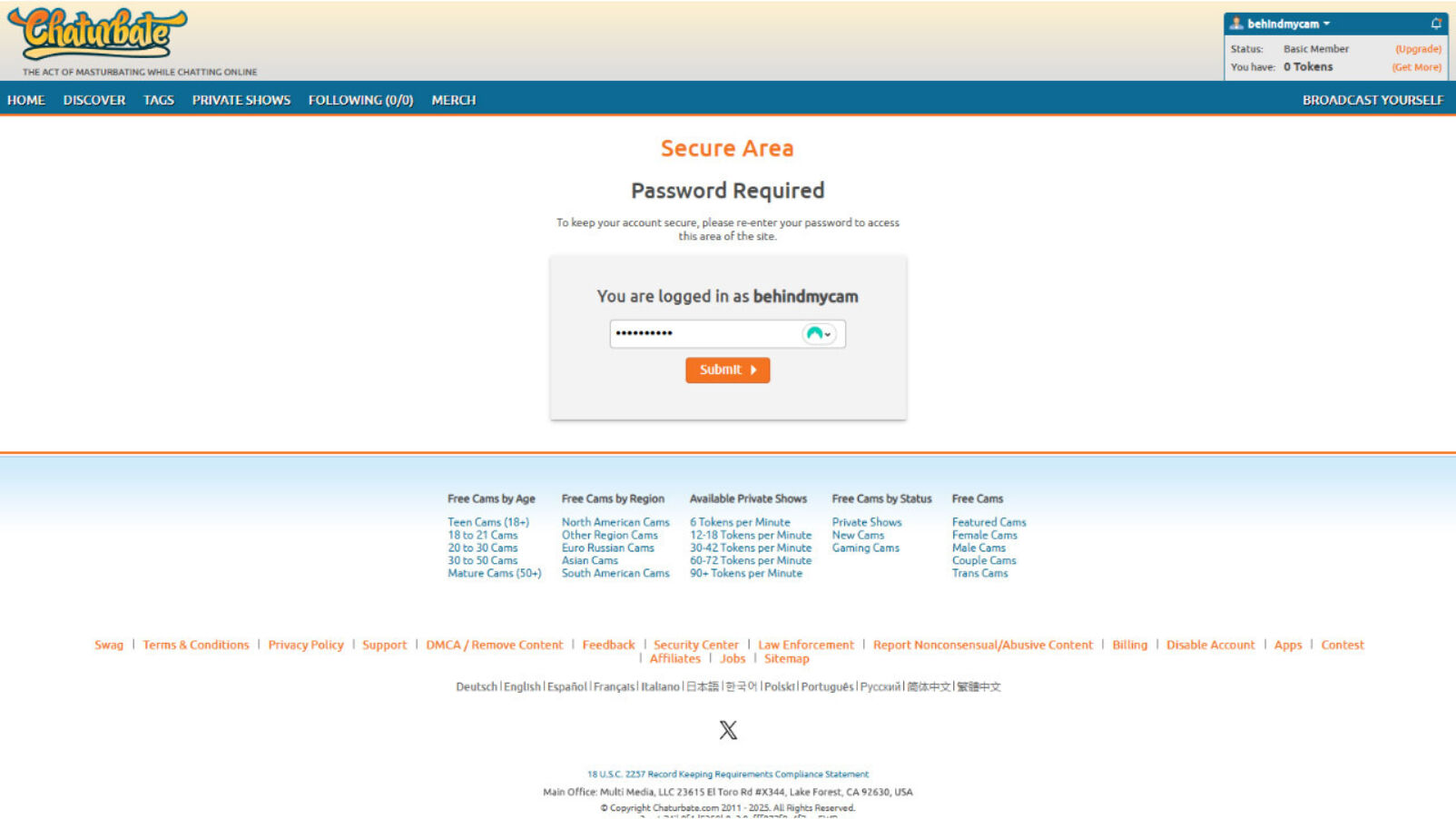
As an extra security step, Chaturbate will ask for your password again. Enter your password to go to the last step.
Step 4
Confirm the deletion of your account
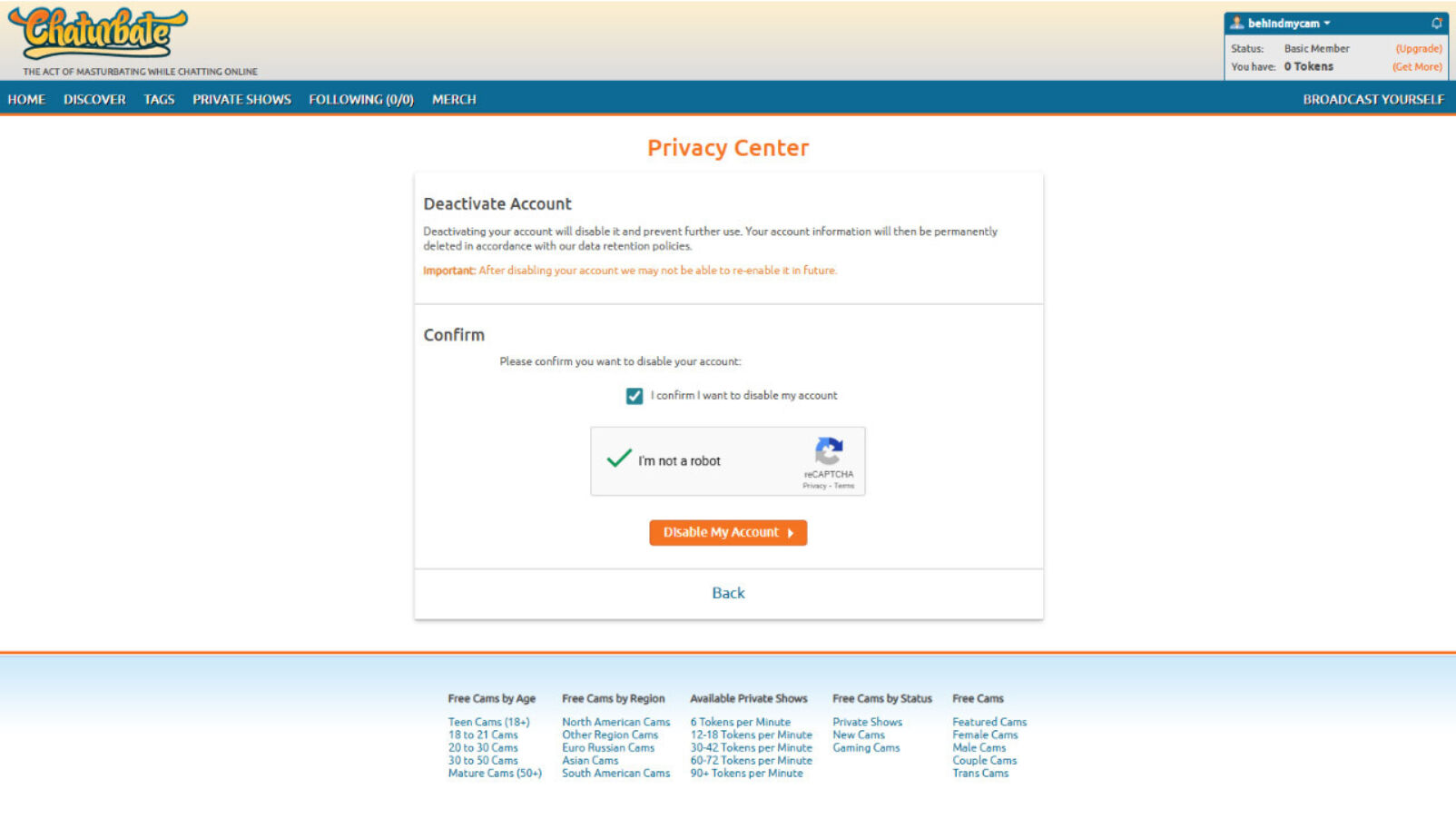
All that is left to do is to tick the boxes and press the "Disable my account" button.
And voilà, your Chaturbate account and profile are now permanently deleted.
Be careful, you will lost any remaining tokens on your account!