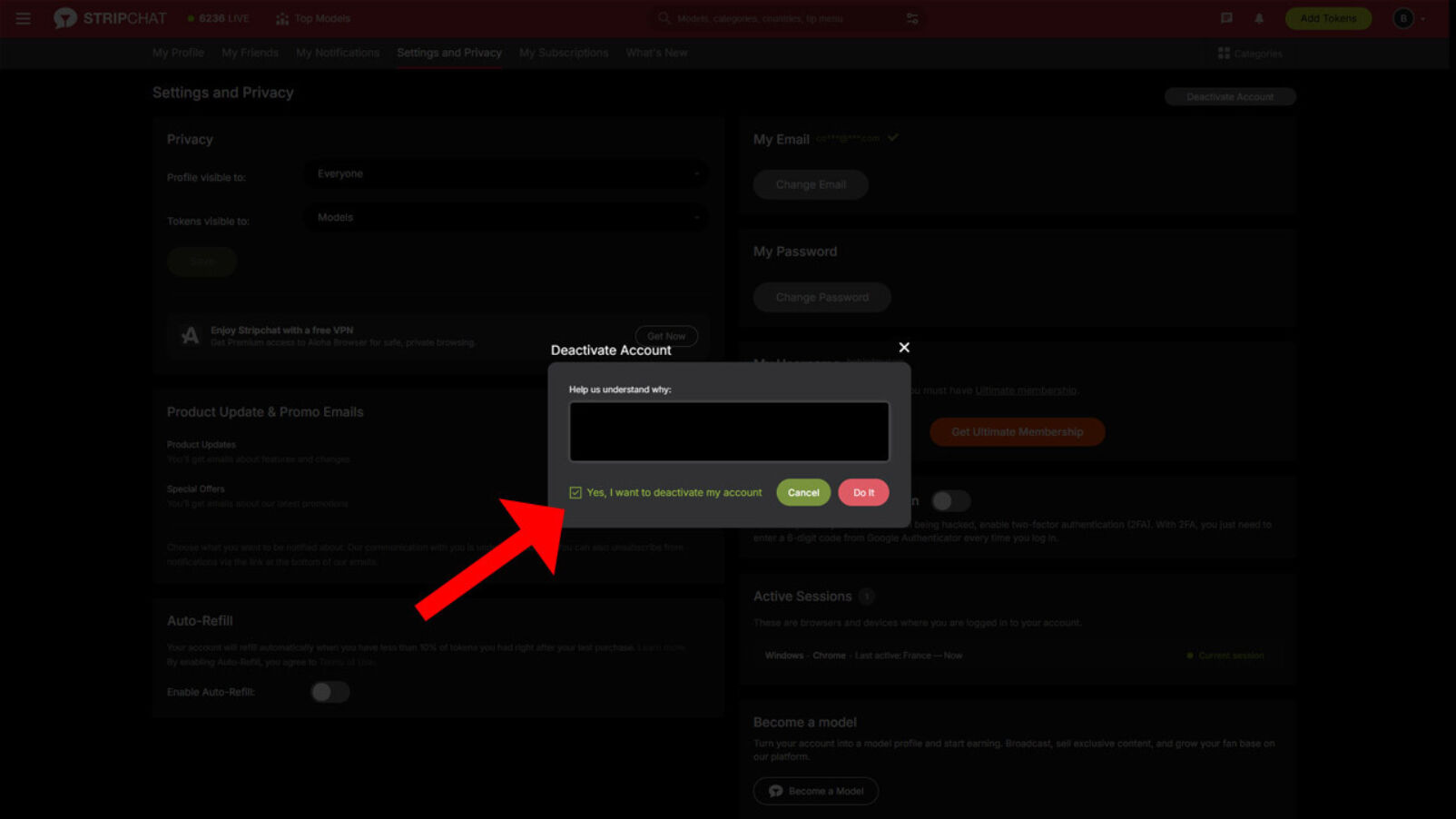






Deleting your Stripchat account may be confusing if you don't know where to look. Here is how to delete a Stripchat account in 4 simple steps.



 Quick answer:
Look for the "Deactivate Account" button at the top of the "Settings and Privacy" page to delete your Stripchat account.
Deleting your Stripchat account may be confusing if you don't know where to look. Here is how to delete a Stripchat account in 4 simple steps.
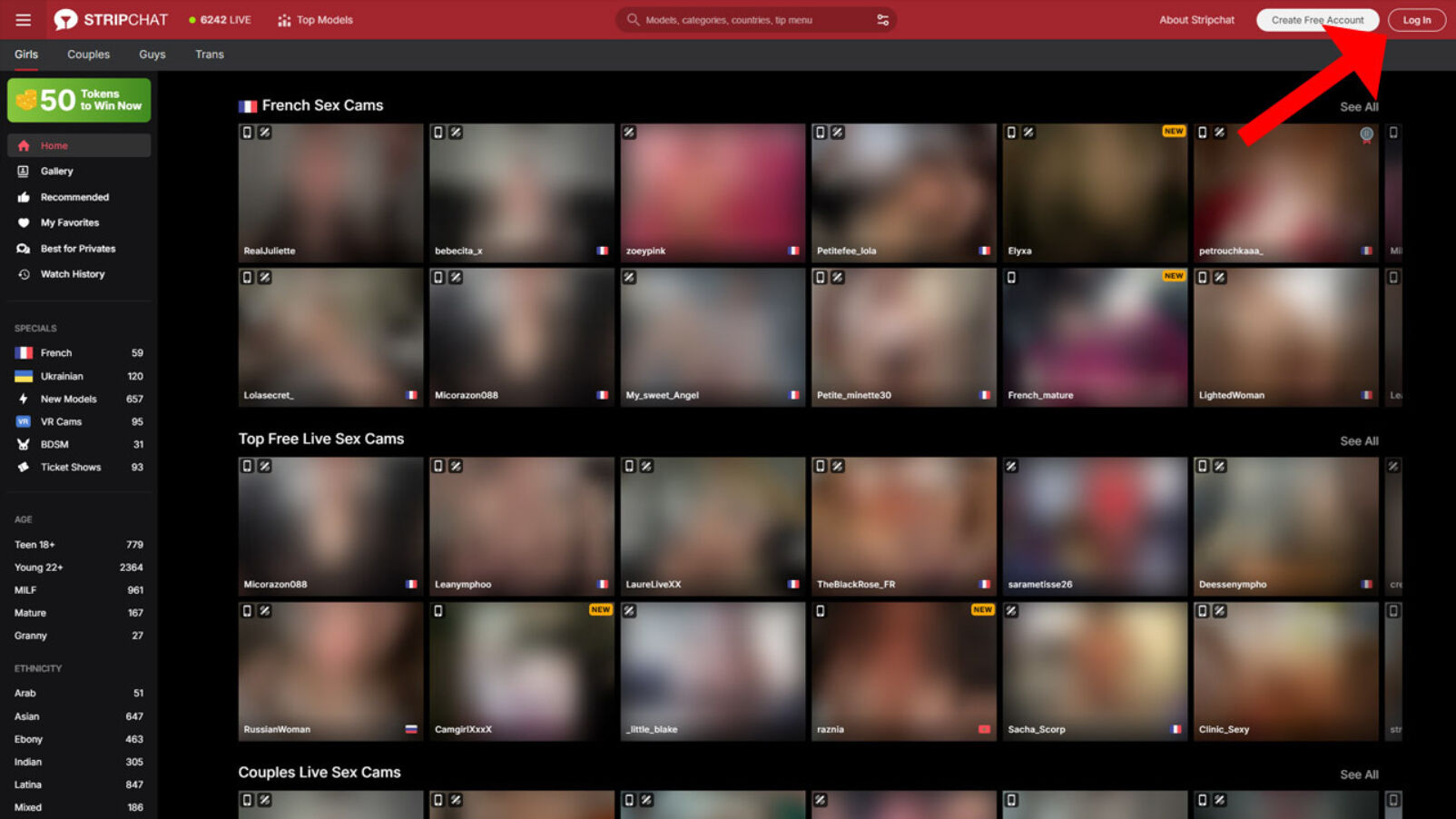
First, log in to your Stripchat account. If you’ve forgotten your password, click the “Forgot password?” link located below the password field.
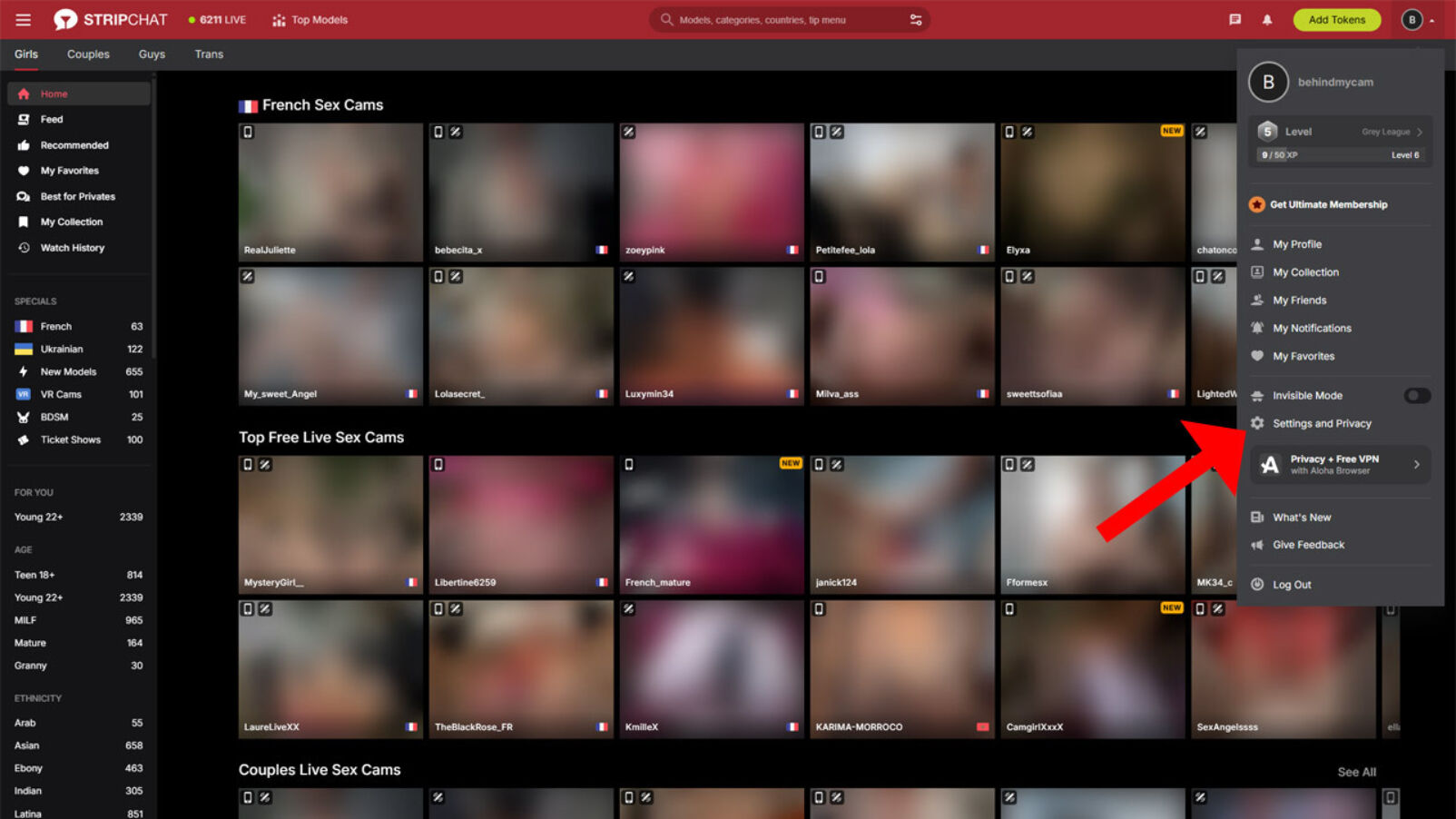
Click the user menu at the top of the page and navigate to the "Settings and Privacy" page.
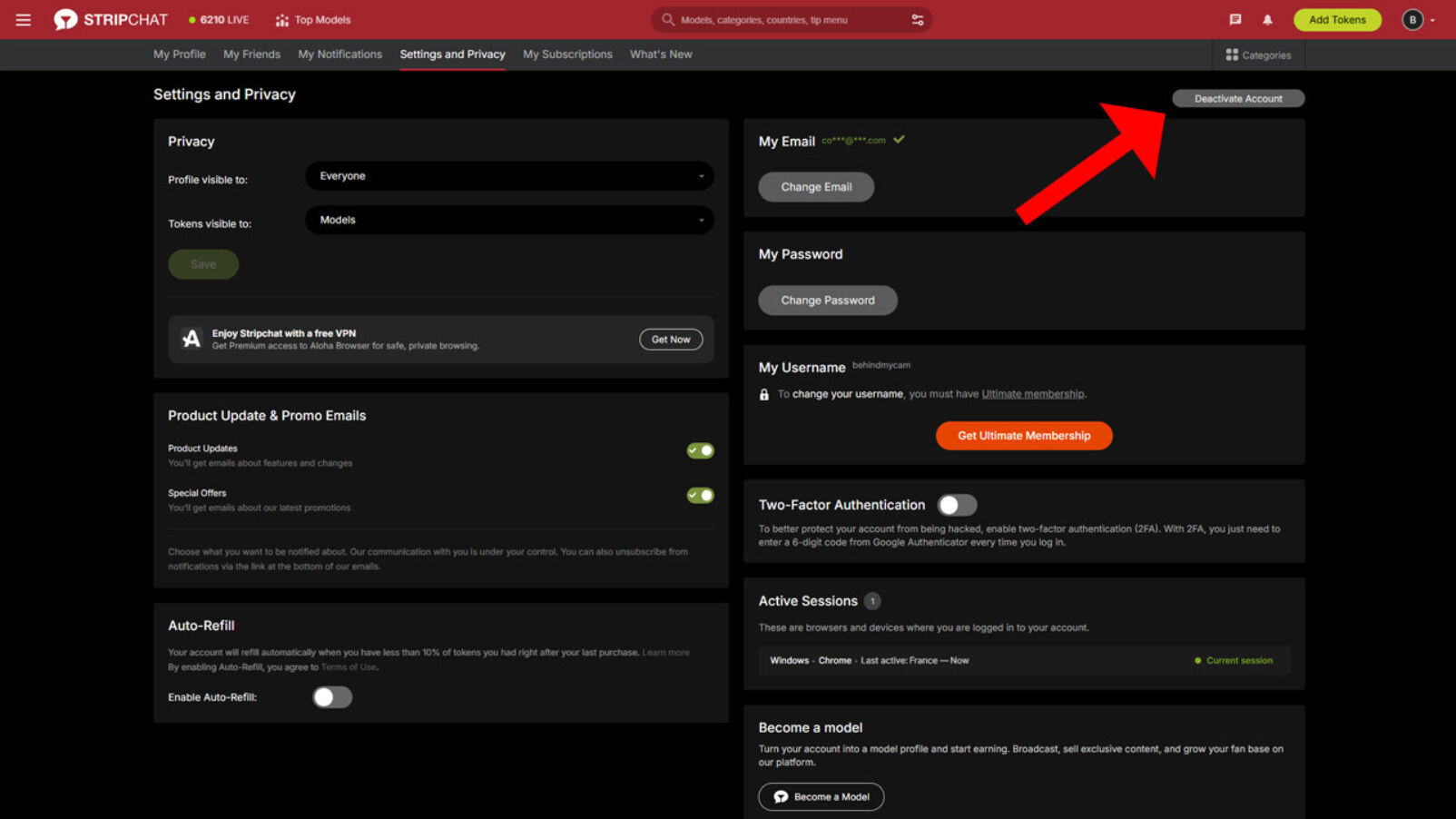
Click the grey “Deactivate” button located in the top-right corner of the page.
Check the box labeled “Yes, I want to deactivate my account,” then click “Do it” to confirm and complete the account deletion.